
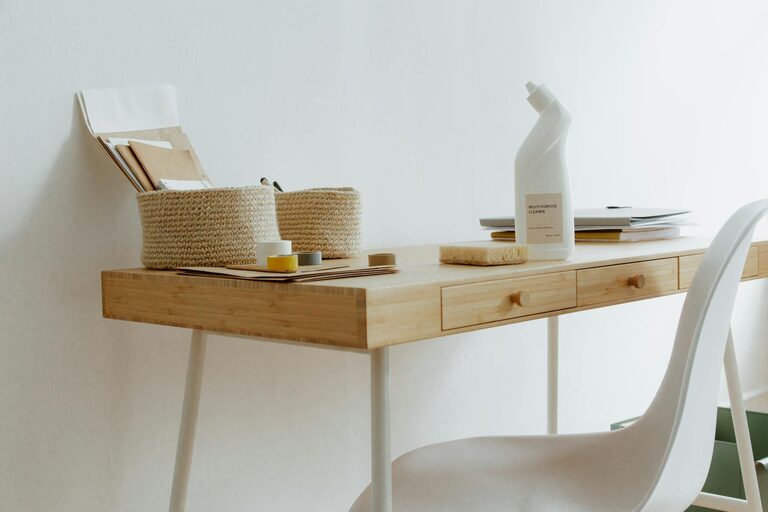
Creating an organized, clutter-free home office is essential for maintaining productivity and focus throughout your workday. Whether you are working remotely, freelancing, or managing personal projects, a well-arranged workspace can improve your mood and efficiency. In this article, we’ll explore practical tips and strategies to help you design a home office that supports your best work.
Why Organizing Your Home Office Matters
A cluttered desk or disorganized room can make it difficult to find important documents and tools quickly. It can also create unnecessary distractions, reduce motivation, and increase stress. Conversely, a well-organized office space promotes:
– Better concentration
– Easier access to materials
– A more professional mindset
– Reduced time wasted on searching for items
Assess Your Space and Needs
Before you start decluttering or buying new furniture, spend some time evaluating your current setup. Consider the following questions:
– How much space do you have?
– What kind of work do you do most often?
– Which supplies and equipment do you use daily?
– How much storage do you need?
– Do you share this space with others?
Knowing your needs allows you to create a tailored plan that maximizes your workspace’s potential.
Step 1: Declutter Your Workspace
Clearing out unnecessary items is the first and most important step to creating a clutter-free environment.
Tips for Effective Decluttering:
– Sort items into categories: Keep, donate, recycle, or discard.
– Limit desktop items: Keep only essentials like your computer, a notepad, and a pen holder.
– Handle paperwork immediately: File, scan, or shred documents to avoid piles.
– Use the “one in, one out” rule: When you bring in something new, remove an old item.
Step 2: Optimize Your Storage Solutions
Good storage keeps your supplies organized and out of sight, helping maintain a clean look.
Storage Ideas:
– Shelves and bookcases: Use for books, binders, and decorative items.
– Drawer organizers: Separate small items like USB drives, chargers, and stationery.
– Filing cabinets or boxes: Store important papers for quick retrieval.
– Stackable trays: Organize incoming, outgoing, and pending work.
– Pegboards or wall organizers: Great for hanging tools or notes within arm’s reach.
Step 3: Choose Functional Furniture
Selecting the right office furniture can make a big difference in comfort and organization.
– Desk size: Pick one large enough for your computer and any essential tasks without overcrowding.
– Ergonomic chair: Supports long hours of sitting, improving posture and preventing discomfort.
– Adjustable desk: Consider a sit/stand desk to vary your position, which can boost energy.
– Cable management: Use cable clips, sleeves, or boxes to keep wires tidy and avoid tangles.
Step 4: Create Zones for Different Activities
Dividing your office into distinct areas can help keep your tasks organized.
– Workstation zone: Your main desk or computer area.
– Reference zone: Shelves or storage with books and materials you frequently consult.
– Creative zone: Space for brainstorming, sketching, or laying out projects.
– Relaxation zone: A comfortable chair or corner for breaks to recharge.
Step 5: Brighten Up Your Workspace
Good lighting is crucial for productivity and reducing eye strain.
– Maximize natural light by positioning your desk near a window.
– Use adjustable desk lamps for focused lighting.
– Choose light bulbs that mimic natural daylight to improve alertness.
– Add plants or light-colored decor to create a fresh, inviting atmosphere.
Step 6: Maintain Your Organized Office
Keeping your office tidy is an ongoing process rather than a one-time event.
– Set aside 10 minutes at the end of each day to tidy your desk.
– Regularly review and discard unnecessary papers and items.
– Reassess your storage solutions periodically to ensure they still meet your needs.
– Develop routines that incorporate organization into your daily workflow.
Bonus Tips for Productivity
– Keep a to-do list visible to track tasks and deadlines.
– Use digital tools such as calendar apps or task managers to stay on top of your schedule.
– Limit distractions by using noise-canceling headphones or setting “do not disturb” times.
– Personalize your space with minimal decorative elements that inspire you without cluttering your desk.
—
By implementing these tips, you can transform your home office into a clutter-free, efficient environment that supports your productivity and well-being. Remember that a successful home office is not about perfection but about creating a space where you feel comfortable and focused. Happy organizing!
